banner
Stories
Meeting Update 
Meetings are suspended until further notice
 
Club meeting will be held on Zoom
You will receive an email from Marlys earlier in week for the link.
 
Meeting will be on Thursdays, logging in on Zoom at 6:45 am, meeting to commence at 7:00 am.
 
We are not posting the link here for privacy, you will need to check your email to locate the link or email Marlys.
 
 
Read more...
June 11, 2020 Guest Speaker
Martin Parnell
Top 10 Reasons to get out of bed during COVID-19


Martin's grandson Nathan is supporting the Sherpas in Nepal who have lost their jobs and livelihoods.

If any members of the club are interested in helping him achieve his goal, here is the donation page: https://ca.gofundme.com/f/HighHimalayan

Thank you


Message from Myrna
We realize that COVID-19 has changed our members' lives in many ways. Since we are unable to meet " face to face" please know that we are thinking of you and that the club is here to help you should the need arise.
 
Myrna PL
Membership Chairperson
Zoom Shortcuts
Windows 10
  • F6: Navigate among Zoom popup windows.
  • Ctrl+Alt+Shift: Move focus to Zoom's meeting controls
  • PageUp: View previous 25 video stream in gallery view
  • PageDown: View next 25 video stream in gallery view
  • Alt: Turn on/off the option Always show meeting control toolbar in Accessibility Settings
  • Alt+F1: Switch to active speaker view in video meeting
  • Alt+F2: Switch to gallery video view in video meeting
  • Alt+F4: Close the current window
  • Alt+V: Start/Stop Video
  • Alt+A: Mute/unmute audio
  • Alt+M: Mute/unmute audio for everyone except host Note: For the meeting host only
  • Alt+S: Launch share screen window and stop screen share Note: Will only work when meeting control toolbar has focus
  • Alt+Shift+S: Start/stop new screen share Note: Will only work when meeting control toolbar has focus
  • Alt+T: Pause or resume screen share Note: Will only work when meeting control toolbar has focus
  • Alt+R: Start/stop local recording
  • Alt+C: Start/stop cloud recording
  • Alt+P: Pause or resume recording
  • Alt+N: Switch camera
  • Alt+F: Enter or exit full screen
  • Alt+H: Display/hide In-Meeting Chat panel
  • Alt+U:Display/hide Participants panel
  • Alt+I: Open Invite window
  • Alt+Y: Raise/lower hand
  • Alt+Shift+R: Gain Remote Control
  • Alt+Shift+G: Stop Remote Control
  • Ctrl+2: Read active speaker name
  • Ctrl+Alt+Shift+H: Show/Hide floating meeting controls
  • Alt+Shift+T: Screenshot
  • Switch to Portrait/Landscape View: Alt+L
  • Ctrl+W: Close current chat session
  • Ctrl+Up: Go to previous chat
  • Ctrl+Down: Go to next chat
  • Ctrl+T: Jump to chat with someone
  • Ctrl+F: Search
  • Ctrl+Tab: Move to the next tab (right)
  • Ctrl+Shift+Tab: Move to the previous tab (left)
=============================
Mac
Meeting Shortcuts
  • Command(⌘)+J: Join Meeting
  • Command(⌘)+Control+V: Start Meeting
  • Command(⌘)+J: Schedule Meeting
  • Command(⌘)+Control+S: Screen Share via Direct Share
  • Command(⌘)+Shift+A: Mute/unmute audio
  • Command(⌘)+Control+M: Mute audio for everyone except the host (only available to the host)
  • Command(⌘)+Control+U: Unmute audio for everyone except host (only available to the host)
  • Space: Push to talk
  • Command(⌘)+Shift+V: Start/stop video
  • Command(⌘)+Shift+N: Switch camera
  • Command(⌘)+Shift+S: Start/stop screen share
  • Command(⌘)+Shift+T: Pause or resume screen share
  • Command(⌘)+Shift+R: Start local recording
  • Command(⌘)+Shift+C: Start cloud recording
  • Command(⌘)+Shift+P: Pause or resume recording
  • Command(⌘)+Shift+W: Switch to active speaker view or gallery view, depending on current view
  • Control+P: View previous 25 participants in gallery view
  • Control+N: View next 25 participants in gallery view
  • Command(⌘)+U: Display/hide Participants panel
  • Command(⌘)+Shift+H: Show/hide In-Meeting Chat Panel
  • Command(⌘)+I: Open invite window
  • Option+Y: Raise hand/lower hand
  • Ctrl+Shift+R: Gain remote control
  • Ctrl+Shift+G: Stop remote control
  • Command(⌘)+Shift+F: Enter or exit full screen
  • Command(⌘)+Shift+M: Switch to minimal window
  • Ctrl+Option+Command+H: Show/hide meeting controls
  • Ctrl+Shift+R: Gain remote control
  • Ctrl+Shift+G: Stop remote control
  • Ctrl+\: Toggle the "Always Show meeting controls" options in Settings/Accessibility
  • Command(⌘)+W: Prompt to End or Leave Meeting
Chat Shortcuts
  • Command(⌘)+K: Jump to chat with someone
  • Command(⌘)+T: Screenshot
General Shortcuts
  • Command(⌘)+W: Close the current window
  • Command(⌘)+L: Switch to Portrait or Landscape View, depending on current view
  • Ctrl+T: Switch from one tab to the next
Thanks Greg and Karl
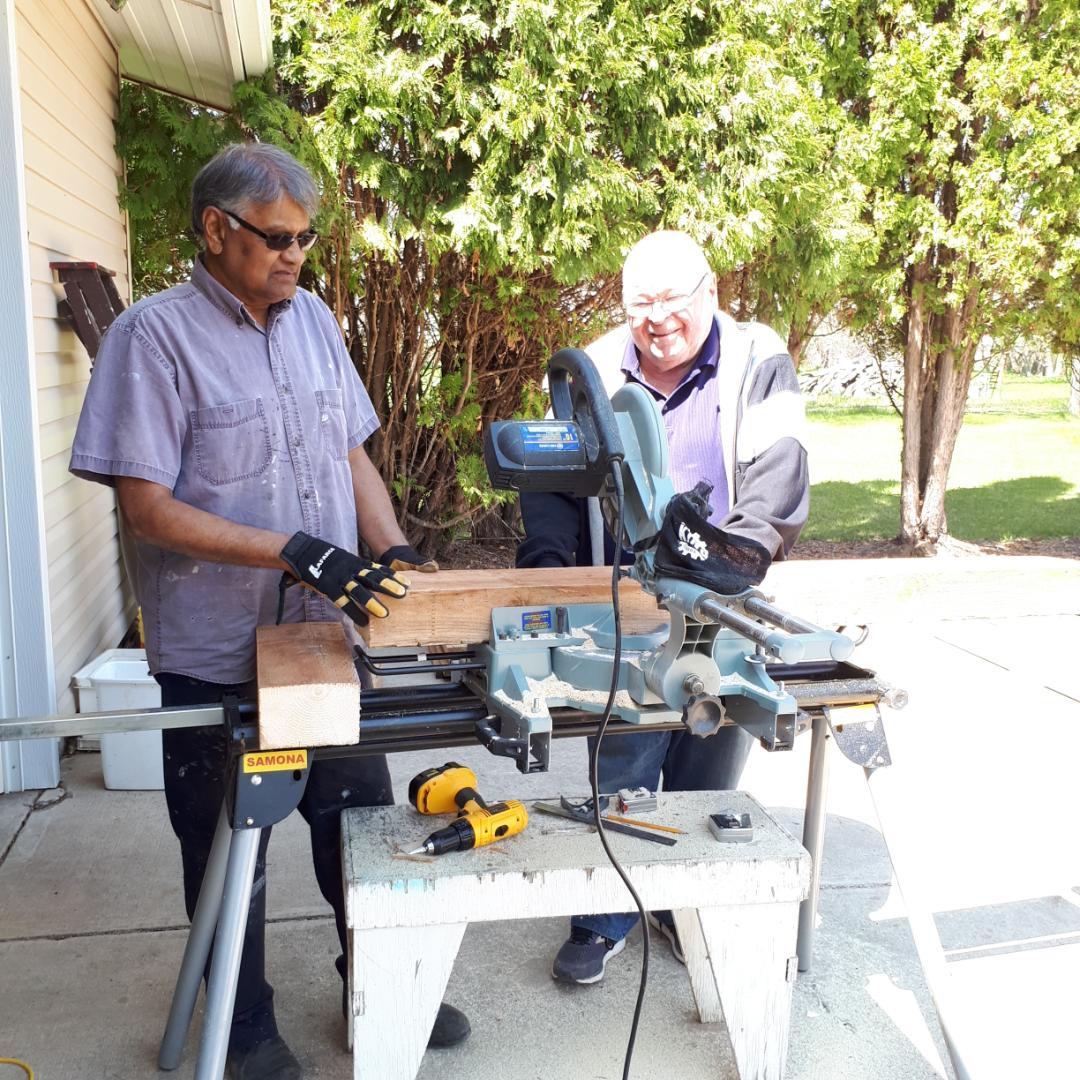
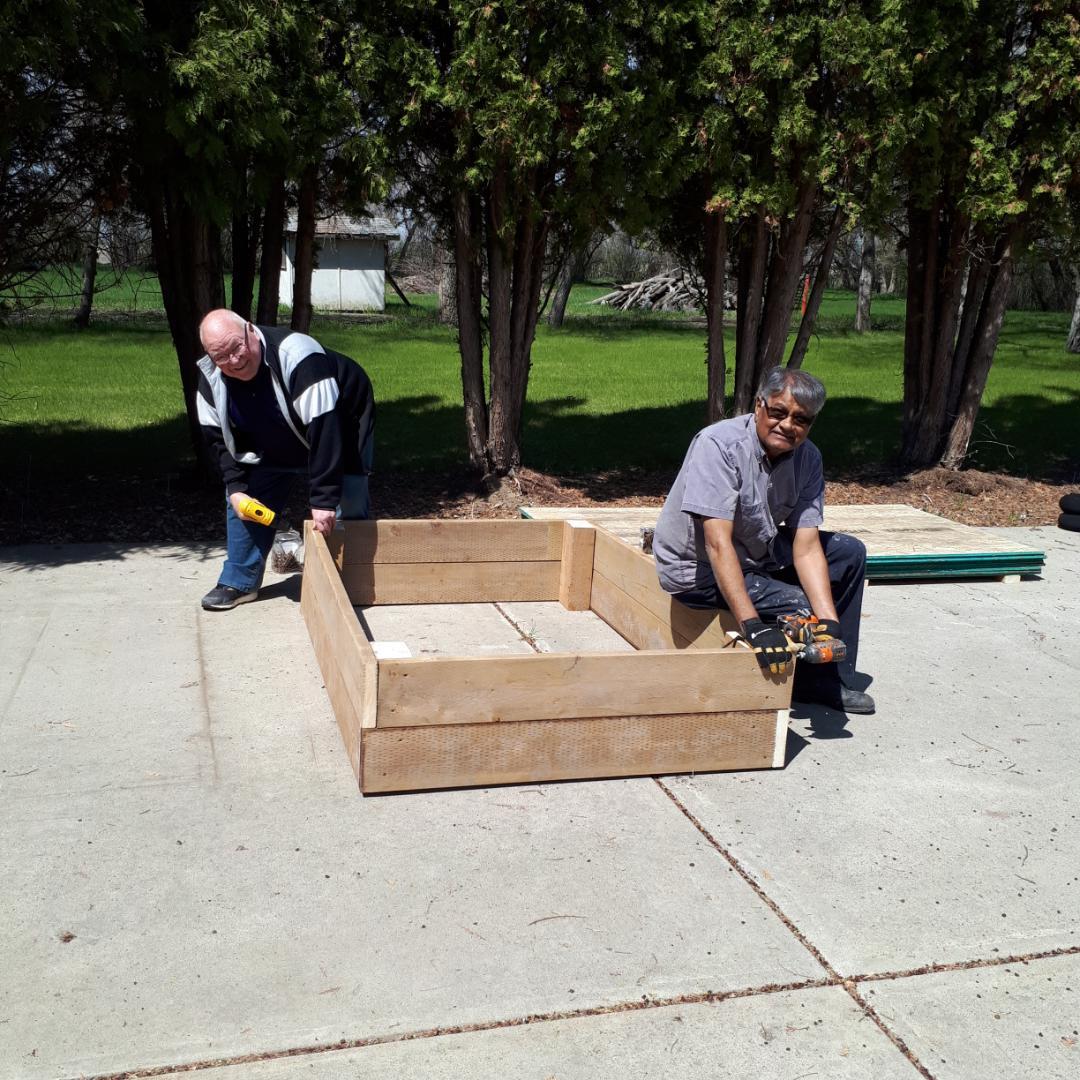
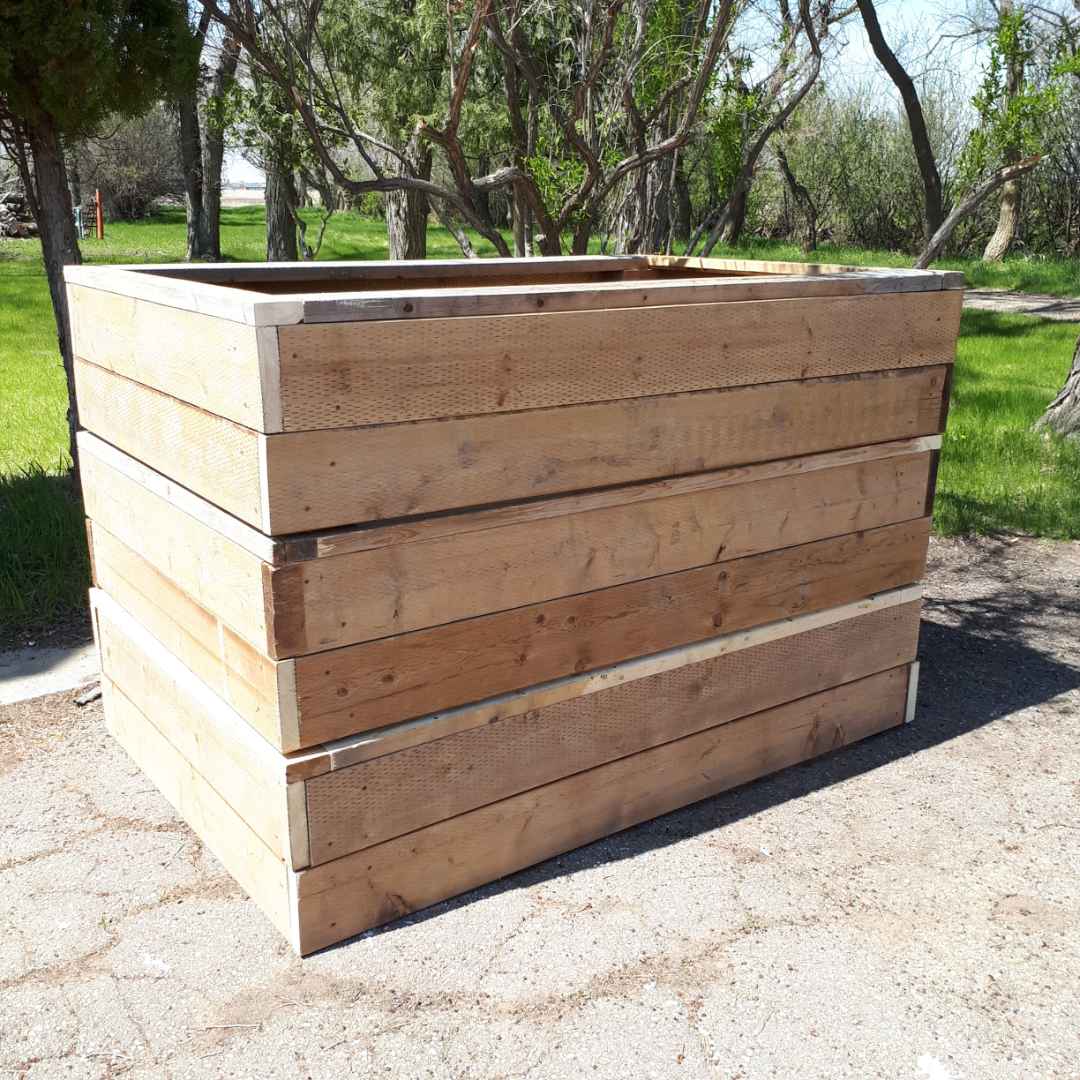
For taking on and completing the garden boxes for the YWCA and program to teach youth living at Hestia Homes the art of gardening and producing their own food. Thank you both so much for taking the initiative to get this done and available for this year’s growing season. This is service for youth in our community. Thank you
 
Stitch it Forward
Lethbridge Rotary Sunrise has once again responded to an urgent need in our community. Three non-profit agencies have been the recipient of 100 hand sewn masks to protect staff and clients in our community. Within days of the request and volunteers of “Stitch it Forward”, our club sponsored the production of the masks and were delivered within 3 days. This group also provided scrub bags, headbands (with buttons to hold the masks) - all for frontline health care workers. They sew for people who are vulnerable and for this reason, the Board, on the recommendation of the Community Services, approved a grant so this dedicated group continues their work for the vulnerable in our community.
Interact Thank You
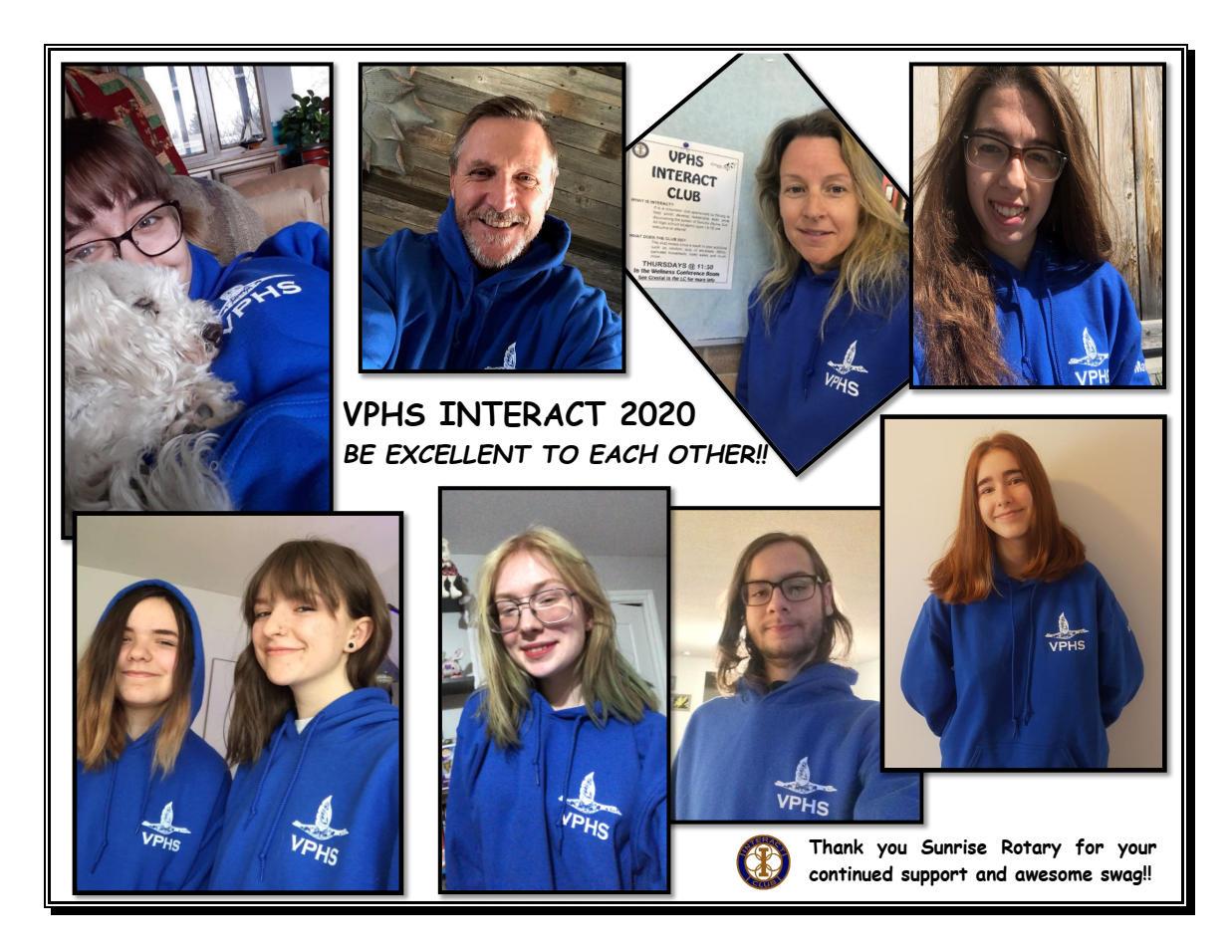
Here is a thank you from some members of the interact club at Vic Park.
( the new ones that received the official club hoodies this year)

We are incredibly proud of the work this team has done this year. They started the year with great blanket ceremony and continuing on with number of service projects and successful grant projects!
 
Russell Hampton
ClubRunner
ClubRunner Mobile